

Mac + iPad
Bring every version into one project
Keep each upload tied to the project and asset, instead of sending files through Slack or SharePoint and asking reviewers to import them with Xcode or Reality Composer Pro.
Upload your USD assets, review them in RealityKit, collect feedback from your team and customers, and optimise them before production.
Teams building for Apple Vision Pro lose hours sending USD files around, deploying them to devices, and trying to review the same thing. USD Stage gives them one place to see, discuss, and approve the asset first.
Mac + iPad
Keep each upload tied to the project and asset, instead of sending files through Slack or SharePoint and asking reviewers to import them with Xcode or Reality Composer Pro.

RealityKit
Mac, iPad, and Vision Pro previews all use RealityKit, so everyone reviews the same Apple runtime view with the same version, metadata, navigation, and comments.

Collaboration
Open one review on Mac, iPad, iPhone, and Apple Vision Pro. Share the same view, discuss changes, and make decisions together.
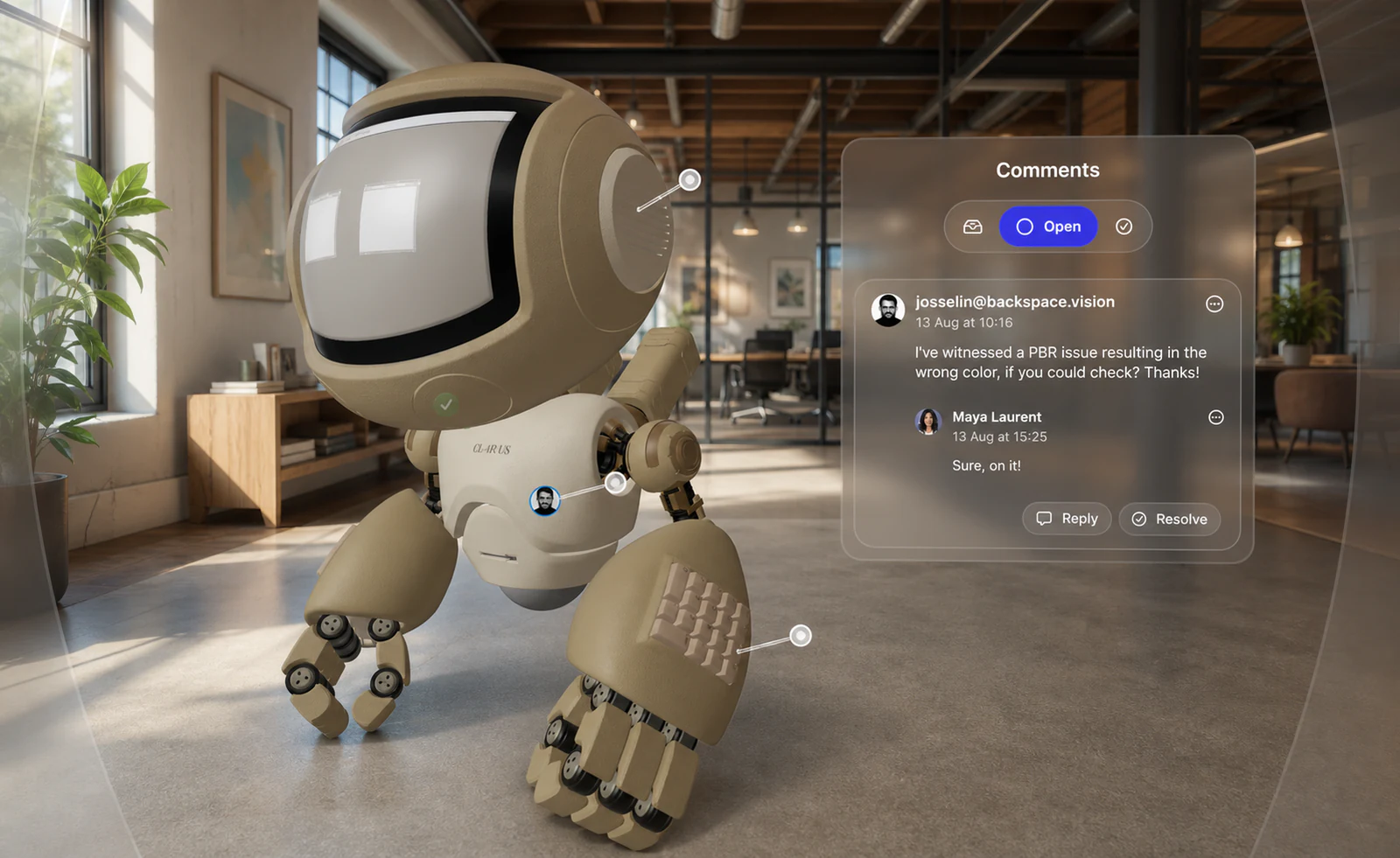
Vision Pro
Leave audio notes, preview assets in augmented and virtual reality with real-world reflections, check on-device performance, and review together with SharePlay. Complex assets can also be viewed with CloudXR.
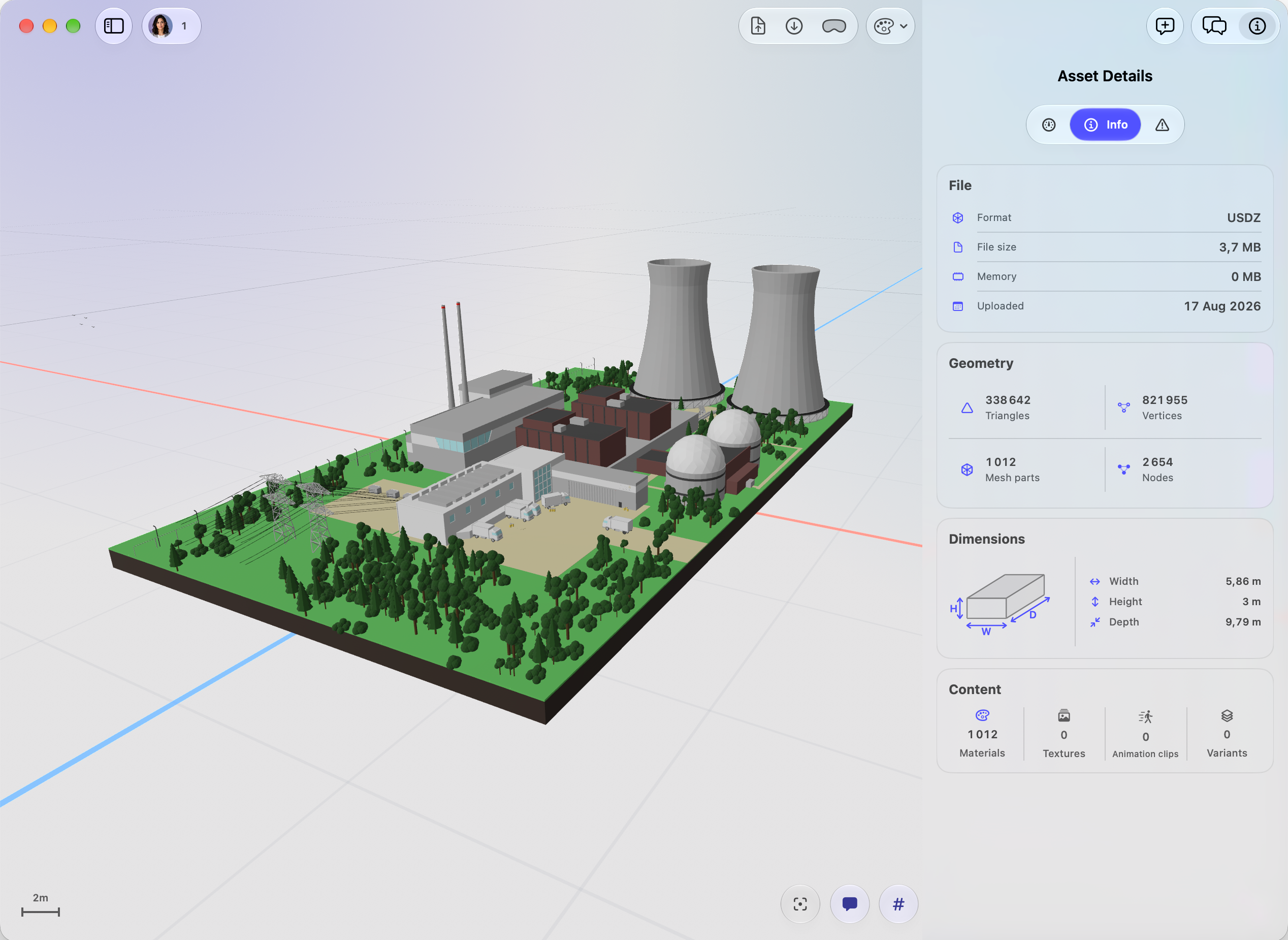
Asset optimization
Get a complete overview of your asset: from file size and memory usage to geometry, dimensions, materials, textures, animations, and variants. Optimize and prepare each asset for smooth performance across Apple platforms.
Approved versions stay easy to find and ready to use across Map Composer, Training Composer, and the rest of Immersive Suite.
USD Stage is part of a suite of Apple-native tools built for every immersive workflow, from spatial data to interactive training and review.
Show places, data, and stories in context.
Map Composer helps teams visualize maps, infrastructure, 3D models, and operational data in spatial context for field operations, strategic briefings, and immersive sales.
Catch 3D issues before production.
USD Stage lets teams drop 3D assets into one place, review versions together, discuss changes, and make approved content available across the Immersive Suite.
Rehearse complex work before it gets real.
Training Composer turns procedures into immersive scenarios teams can revise as work changes, with AI-assisted authoring to reduce production effort.
Present spaces before they exist.
Layout Composer turns workplace, retail, and interior layouts into spatial previews that help real estate, design, and workplace teams understand, sell, and approve spaces.
Apply for early access to the Beta for your USD review workflow.
USD Stage is a native Apple-platform review system for teams preparing USD assets for RealityKit, visionOS, and spatial app workflows.
It gives teams a shared place to upload assets, inspect previews, leave context-aware comments, and approve versions before production.
Yes. Once a USD version is approved, teams can find it in one searchable USD Stage library and reuse it in Map Composer, Training Composer, and related Immersive Suite workflows.
Teams can upload .usda, .usdc, and .usdz assets. USD folder bundles can also be uploaded as zipped packages when the root file depends on other files.
For review, the product centers on RealityKit-ready previews and metadata so the discussion stays attached to the right asset version.
No. USD Stage is a review and collaboration surface, not a scene authoring tool. It fits between asset creation and production integration, where teams need feedback, sign-off, and secure sharing.
Comments can capture camera and viewport context and can link to scene references such as nodes, materials, or animation clips. Mac review also supports replies, resolve, and reopen actions.
That keeps feedback closer to the inspected asset than a screenshot or a generic chat thread.
Yes. The visionOS app supports project and asset browsing, volumetric review, immersive placement, constrained and actual-size inspection, annotations, review status changes, presence, and aligned review state for collaborative sessions.